
How to Start a Podcast and Make Money for Beginners

This guide will show you step by step how to start a podcast and make money for beginners.
Many people enjoy listening to podcasts. As a podcast host, you educate or entertain your listeners in each episode. You can find listeners around the world through Spotify, which has a library of over 7 million podcasts!
Here’s what makes podcasting great for making money:
- Over 600 million people listen to podcasts
- You don’t need to show your face or make a video
- Earn money talking about what you love
- All you need is a good-working microphone
If you’re an introvert, you’ll love podcasting! It’s a great way to speak your thoughts, hide your face, and make money with the people who quietly resonate with you.
Here are six ways you can make money podcasting as a beginner:
- Make paid episodes
- Run ads on your podcast
- Do affiliate marketing
- Set up sponsorships with brands
- Form a Patreon community
- Start an email newsletter
All these methods are simple to do, perfect for beginners like you.
But remember: focus on one method at a time. Don’t try another method unless the one you tried didn’t work or you’re not comfortable with it.
Now it’s time to start a podcast and make money doing it!

How to Start a Podcast
If you already have a podcast, skip to the moneymaking methods below:
But if you don’t have one yet, here’s how to get started!
Step 1: Pick a Topic
The first step is to decide on a topic for your podcast. The topic helps listeners know what to expect from you. Here are some popular podcast topics I recommend for beginners:
| Topic | What You Talk About |
|---|---|
| Lifestyle/self-help | Life hacks and tips for people in your situation |
| Finance | Ways to earn, save, and invest your money |
| Pop culture | Your thoughts on TV, movies, games, sports, etc. |
| Health | Wellness and recipe ideas people can try at home |
| Technology | News and reviews about PCs, phones, software, AI, etc. |
| Comedy | Stand-up routines or amusing anecdotes |
| Stories | Read stories from children’s books or adult novels |
Check out MasterClass’ “Types of Podcasts” article for more podcast ideas.
After picking a topic, come up with a catchy podcast name. You don’t have to use your own name. Just pick a name you like that would resonate with you and your future listeners.
My Recommendation: Ask a friend to help! You don’t have to talk alone. Invite a friend or family member to join you as a co-host and discuss a topic you both like together!

Read more: Most Profitable Podcast Topics to Make Money
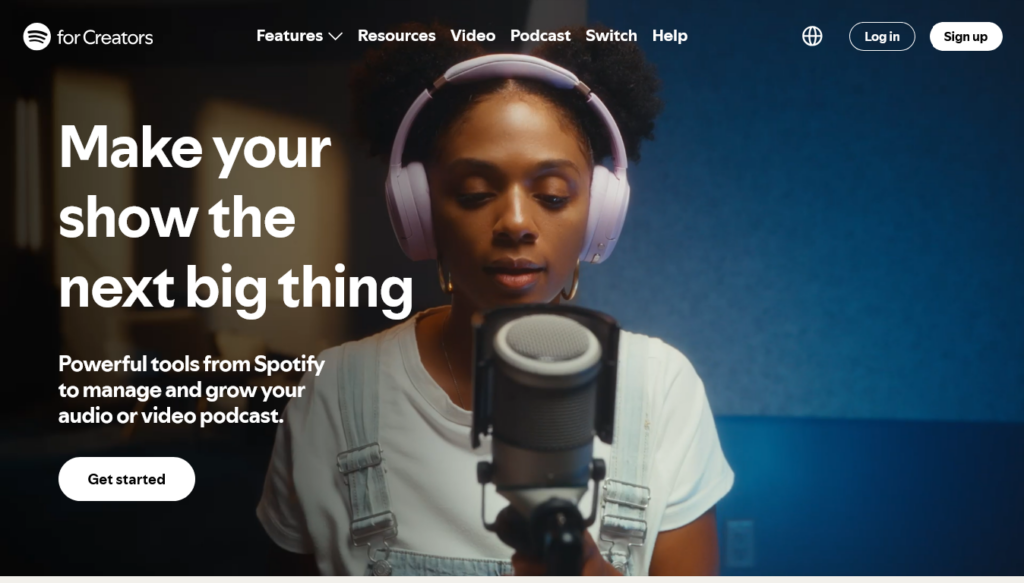
Step 2: Sign Up for Podcast Hosting
Next, you need a website to host your podcast.
There are several podcast hosting providers out there, and I cover some of them in my Best Podcasting Platforms article.
For beginners, I recommend Spotify for Creators for a few reasons:
- Unlike most hosting providers, Spotify is 100% free
- Spotify has everything you need to monetize your podcast
- You join 7 million podcasts on the world’s #1 podcast platform
Now, I understand Spotify isn’t for everyone. For instance, you can only make money with Spotify if you live in specific countries. Also, some podcasters have reported that Spotify can be a bit strict when moderating your podcasts.
If you prefer a different platform, consider these alternatives:
| Provider | Price if Paid Annually | Free Plan Limitation | Standout Feature |
|---|---|---|---|
| Apple Podcasts Connect | Free | – | Lets you sell subscriptions |
| Patreon | Free | – | Lets you write posts and upload videos |
| Podbean | $12 per month | Up to 5 hours of episodes | Up to 16 hours of episodes per month |
| Buzzsprout | $15 per month | Each episode deleted after 90 days | Ability to ask for listener donations |
Otherwise, if you think Spotify works for you, create your account below!
Read more: How to Make Money on Spotify for Beginners
Step 3: Create Your Podcast
Once you’re signed up, you’re ready to create your podcast!
On Spotify, simply select your profile, then select Add a new show > Create a new show.
After that, add your podcast’s title and a description of what you talk about. You can also design podcast artwork with Canva and add it to your podcast settings.
If you have someone helping you, go to Settings > Team so they can help you manage your podcast. They will need to have their own Spotify account.
That’s it! Your podcast is ready for its first episode.
Step 4: Get Episode Ideas
The next step is to get ideas for your podcast episodes. If you’re podcasting with someone else, you’ll want to coordinate with them. The two of you can discuss your plans for each episode.
Here are some ideas for each topic to get you started:
- Lifestyle/self-help: time management, communication tips, mindset advice
- Finance: credit card advice, budgeting tips, side hustles
- Pop culture: songs, movies, TV shows, and games for you to talk about
- Health: workouts, healthy recipes, budget-friendly diets
- Technology: iPhone reviews, AI news, latest tech releases
- Comedy: creative skits, tall tales, funny stories from your life
Write down each idea and keep it in a backlog. That way, you can refer to it when you’re ready to do another episode.

Step 5: Follow a Content Strategy
Now it’s time to form a content strategy. This will save you from overthinking and keep you productive. Here’s an example of a good podcasting routine:
- Pick an idea from your list.
- Do some research on the topic if you need to.
- Write an outline or script of your episode.
- If you have a co-host, ask them about your outline.
- Prepare your mic and voice recording app.
- Start recording your episode.
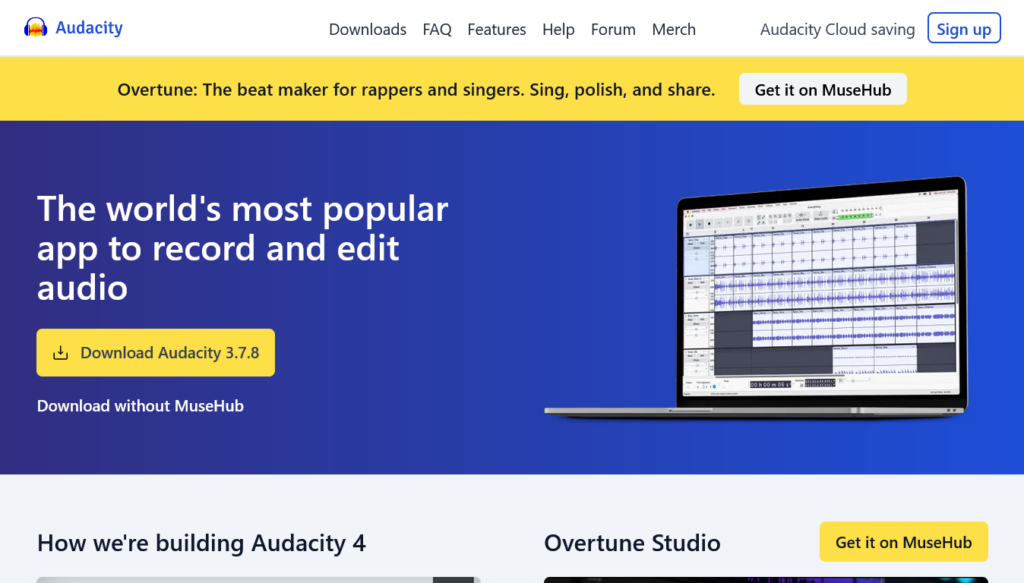
- Edit it for free with Audacity.
- Export your episode.
My Recommendation: Do not use AI scripts or voices. Most people don’t like ‘podslop’ and prefer a human narrator. That said, you can use AI to help you do research, get ideas, outline your script, and edit your show.
Step 6: Publish Your Episodes
Once you’ve finished an episode, it’s time to add it to your podcast.
If you’re on Spotify for Creators, select New episode (or Podcast > + if you’re on the mobile app). If you’re on Podbean, go to Episodes > New Episode.
After uploading your episode, add a title, description, and other details. Avoid making your title look like clickbait. Listeners tend to look for raw and natural content in podcasts.
Finally, you can publish your episode right away or schedule it for later.
Step 7: Distribute Your Podcast
If you signed up on Spotify, your podcast is on Spotify and can only be found on Spotify.
But once you publish your first episode, you can distribute your podcast to Apple Podcasts and other podcast websites using its RSS feed. This file contains info for other sites to display your podcast.
To enable your podcast’s RSS feed on Spotify, go to Settings > Availability.
My Recommendation: Make sure you’re ready before enabling your RSS feed. Once enabled, your podcast becomes public. Anyone online can see your email and find info about your podcast. The only way to disable your RSS feed is to delete your podcast.
After that, you can create an account on Apple Podcasts or whatever podcasting site you want to appear on. Submit your podcast, paste the RSS feed URL, answer a few questions, and once your podcast is approved, it will appear on the site.
Step 8: Optimize for SEO
To find more listeners, you should do search engine optimization (SEO). That way, your episodes will appear for people who search specific keywords. These three tips can help:
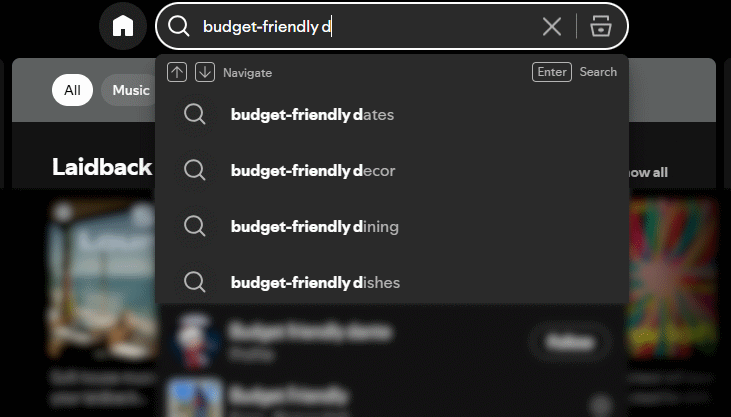
- Enter your topic as a keyword on Spotify and see if it appears (see screenshot)
- Add that exact keyword once in your episode’s title and description
- Create an eye-catching artwork for your episode with Canva
- Reply to listeners’ comments to build trust with your listeners
And that’s it! Over time, your podcast will be picked up by more and more listeners.
Once you have a good audience, you’re ready to earn money with your podcast!
Method 1: Paid Episodes
The simplest way to make money podcasting is to offer perks to paying subscribers. Listeners who subscribe each month will get access to bonus episodes or early access to future episodes.
If your podcast is on Spotify, you have at least 100 listeners in the past month, and you’re in one of these countries, you can use Spotify’s Subscriptions feature. Here’s how:
- Publish the episodes you want to sell.
- Go to Monetize > Subscriptions.
- Set up a Stripe account.
- Pick a monthly price.
- Choose the episodes you want to mark as paid.
- Choose scheduled episodes you want subscribers to get early access to.
That’s it! You can change your price or the episodes you want to sell at any time.
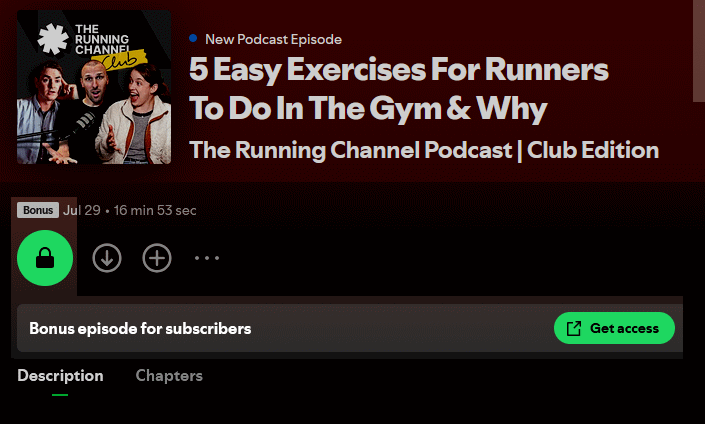
With Spotify Subscriptions, you earn all revenue, excluding a 5.5% fee for payment processing and any foreign exchange fees. You can pay out anytime via Stripe if you have at least $10 in your balance. If it’s your first payout, you’ll need to wait 30 days after your first sale.
If you’re not in a supporting country or not using Spotify, you can use Apple Podcasts Subscriptions instead. Note that this feature will cost you a monthly fee. I have an article on making money with Apple Podcasts that can help.
Finally, if you’re on paid hosting (like Buzzsprout), you can create a podcaster account on either Spotify or Apple, claim your podcast, and use their subscription feature to monetize it.
Method 2: Running Ads
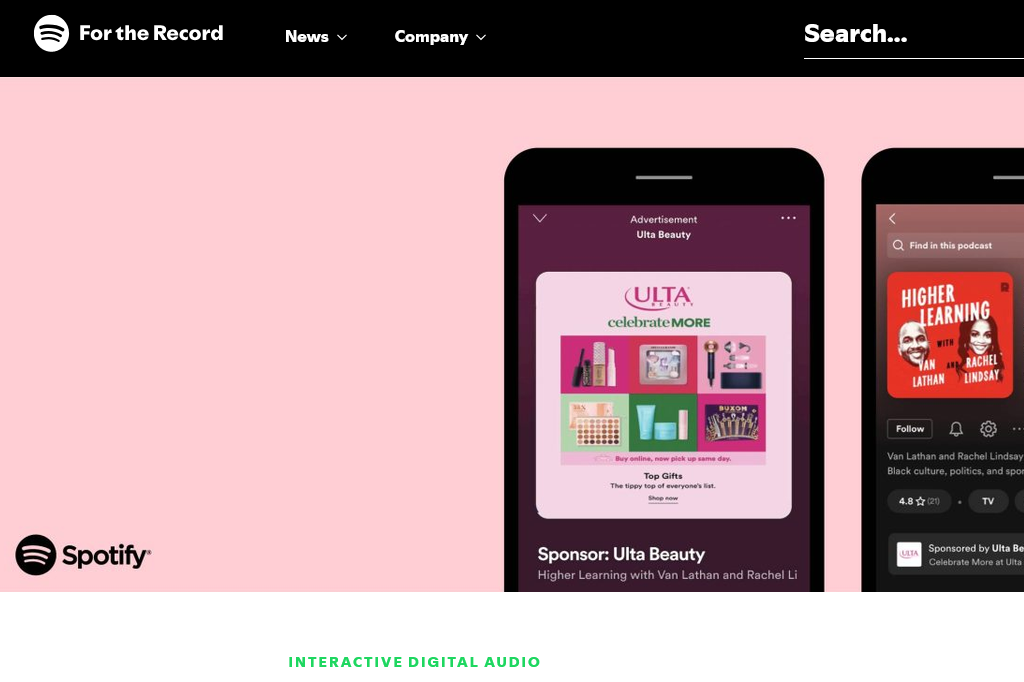
Chances are you’ve come across an ad while tuning in to your favorite podcast. You can make money putting those ads on your own podcast.
These ads are divided into three types based on when they play during your episode:
- Pre-roll ads: ads that you hear before the episode begins
- Mid-roll ads: ads that interrupt the episode during select breaks
- Post-roll ads: ads that play after the episode ends
In addition, some ads are audio-only, while others include a video.
There are also host-read ads, meaning the advertiser pays the podcast host to read an ad script for their audience. More on that in the Sponsorships section.
For now, let’s get started running ads on your podcast!
How to Apply for Ads
Every podcast hosting site has its own ad program. You can find the ad program for your hosting provider in the table below and see how it compares to others.
Note that Patreon and Apple Podcasts do not have their own ad programs.
| Program Name | Listener requirement | Supporting countries | Payout |
|---|---|---|---|
| Spotify Partner Program | 1,000 listeners and 2,000 listening hours in the last 30 days | See the list | 50% of revenue via Stripe |
| Podbean Ads Marketplace | 1,000 listeners in the last 30 days | United States only | 70% of revenue via PayPal |
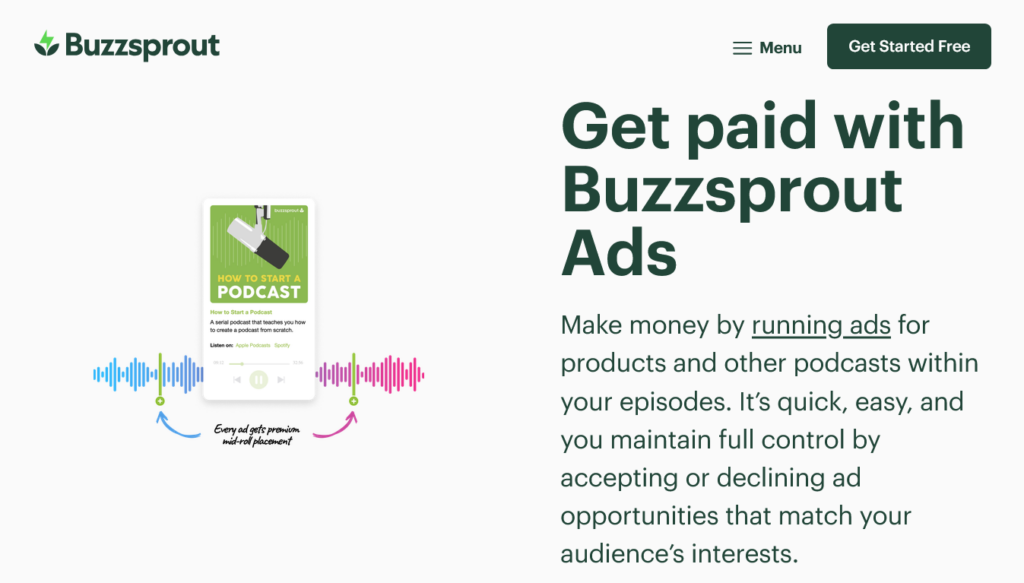
| Buzzsprout Ads | 1,000 listeners in the last 30 days | Worldwide | $0.70 to $1.40 per ad via PayPal |
For more ad programs, check out my Podcast Hosting Sites article.
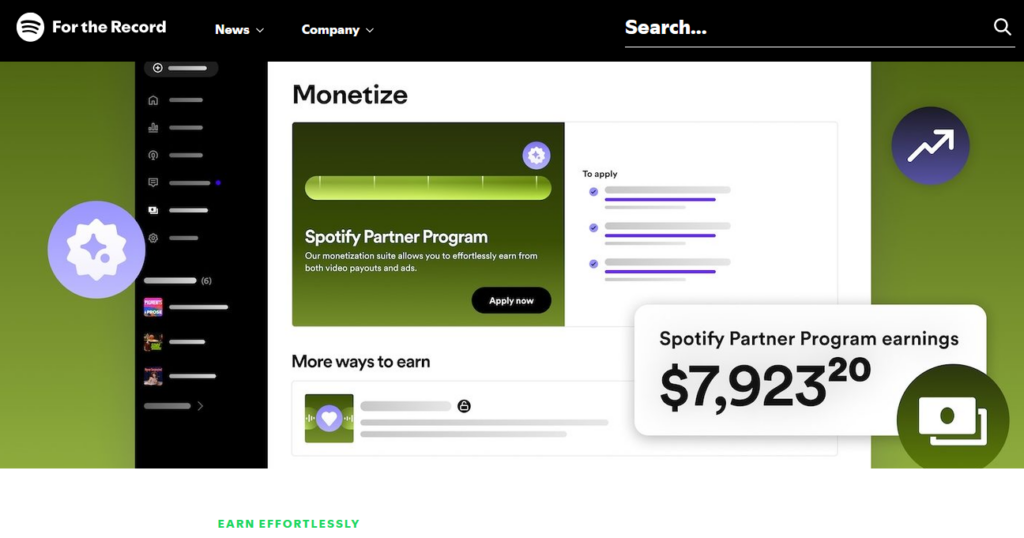
Since I suggested Spotify earlier, the best choice would be the Spotify Partner Program. Before you begin, make sure you have at least 1,000 listeners + 2,000 hours of listening time in the past month. You will also need at least 3 episodes.
Here’s how to apply for ads via Spotify:
- Go to Monetize.
- Under the Partner Program, select Apply now.
- Accept the terms and wait for approval.
- After approval, set up 2-Step Verification.
- Provide payment information.
- You’re all set!
Unfortunately, Spotify podcast ads are only available in these countries. If you don’t live in a supported country, I suggest moving your podcast to Buzzsprout to make money with ads.
Read more: How to Make Money Podcasting with Buzzsprout
But moving forward, I will focus on Spotify.
How to Insert Ads on Spotify
Once you’re in the Spotify Partner Program, you can decide where to place your ads in your episodes. The places you choose are called ad breaks. Spotify lets you add up to 5 ad breaks in each episode.
My Recommendation: Signal the ad breaks in your episodes. In the middle of your talk, use phrases like “Let’s take a quick break” or “A quick word from our sponsor.” Add your ad breaks at those points in your podcast. This will make the ads feel less intrusive to your listeners.
Using a web browser, edit an existing episode or upload a new episode and look for the Waveform Editor in the Monetize section. There, you can choose the timestamps for your ad breaks.
Alternatively, you can have Spotify decide where to place ads in each episode. Spotify offers different “strategies” to place your ads:
- Standard: pre-roll, mid-roll, and post-roll ads
- Moderate: pre-roll and post-roll ads only
- Minimal: pre-roll ads only
- Custom: specify the type of ad and how much time between mid-roll ads
Follow these steps to set up automatic ad placement:
- Go to the Monetize page.
- Select Manage under the Partner Program tab.
- Under Strategy, select one of the above strategies.
- To disable auto ads, set Strategy to Custom and untick the boxes.
In the Monetize page, you can also choose what categories of ads aren’t allowed on your podcast. This is a great way to maintain the right vibes for your listeners.
Your Spotify Ad Earnings
To see how much you earned from the Spotify Partner Program, visit the Monetize page.
On Spotify, you earn 50% of the revenue for every ad shown on your podcast. The revenue is based on the CPM (cost per mille) that a brand pays to show their ad to 1,000 listeners of a specific podcast episode. The CPM can vary, depending on your country, podcast format, and audience size.
Typically, the CPM for dynamic ads is between $15 and $25. This means, on Spotify, you can earn between $7.50 and $12.50 for every brand shown on any of your episodes.
Spotify will pay out your earnings every month to your bank account via Stripe.
Method 3: Sponsorships
A sponsorship is when a brand pays you to mention them in a podcast episode. Podcast sponsorships are also known as “host-read ads” or “live reads.”
Nielsen says host-read ads are actually more effective than regular ads because we get to hear our favorite host advertising rather than a random voiceover.

To find a brand to sponsor you, you need to join an ad marketplace.
Unfortunately, Spotify doesn’t offer this. This means you’ll have to move to a paid hosting site with a marketplace. I recommend moving over to Acast. They only cost you $15 per month.
For more ideas, see my list of podcast ad marketplaces here.
Once your podcast is on the new hosting site, follow these steps to find a brand to sponsor you:
- Find your hosting site’s ad marketplace and apply.
- Check to make sure you meet the eligibility requirements.
- Provide any info. Your show may be reviewed for approval.
- Complete your profile so brands can find you.
- Wait for a brand to invite you or apply to one you’re interested in.
- Once you have a sponsorship, mention the brand in a new episode according to their criteria.
- Publish the episode, submit it to the brand, and get paid.
A host-read ad can earn between $25 and $50 for every 1,000 listeners.
Method 4: Affiliate Marketing
Affiliate marketing is the practice of recommending products from others using affiliate links. You share your affiliate link and, when someone clicks it and buys, you earn a commission.
While you technically can add an affiliate link to your episode description, I don’t think many people would read the description. (I know I don’t.)
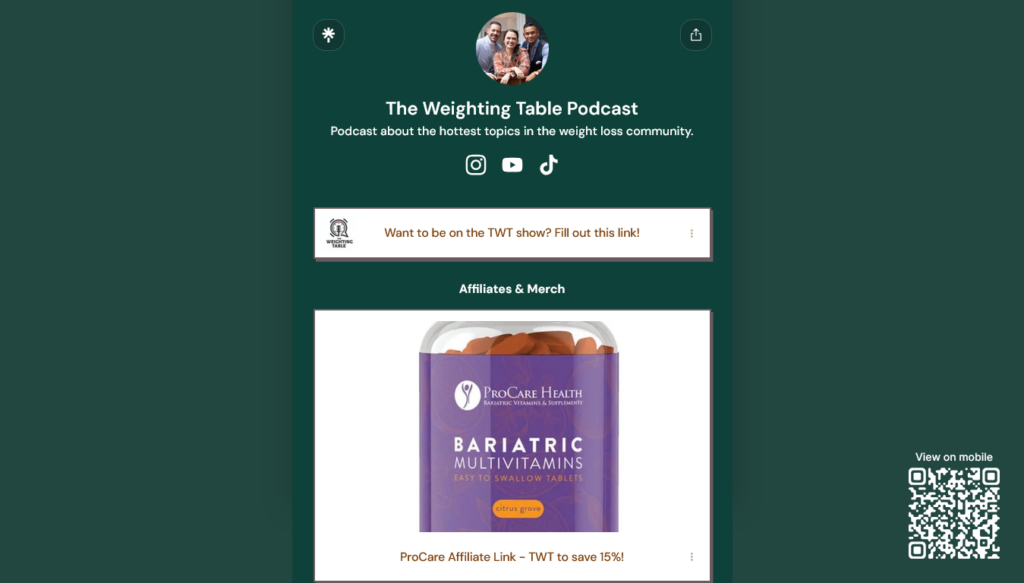
That’s why I recommend starting a Linktree page and adding your affiliate link there. You can then advertise your Linktree as linktr.ee/[yourpodcastname].
It’s easy for listeners to remember and type into their browser, and they’ll see a nice page like this:
My Recommendation: If you’re podcasting on Patreon, you can bypass Linktree. Put your links in a nice, clean post and pin it to the top of your Patreon page.
In this section, I’ll show you:
- How to find affiliate programs
- How to place your affiliate links
- How to write an affiliate disclosure
- How to track your earnings
Find Affiliate Programs
First, you need to join an affiliate program, look for a product, and grab your affiliate link.
The problem is that affiliate programs generally don’t cater to podcasters. Almost every affiliate program requires you to have a blog or a social media profile.
So I recommend you start a YouTube channel. That way, you can upload your episodes as YouTube videos and gain additional followers for your podcast. (To keep your videos faceless, simply import your audio to CapCut, add your podcast logo, and export!)
Once you have an active YouTube channel, you can pick from any of these programs:
- Amazon Influencers: promote an Amazon product you think your listeners would like
- Audible Affiliates: suggest audiobooks your listeners will enjoy listening to
- Honey Affiliate Program: sign up for Honey to get shopping deals and a referral link
- Mavely: this site helps you find other lifestyle brands to promote
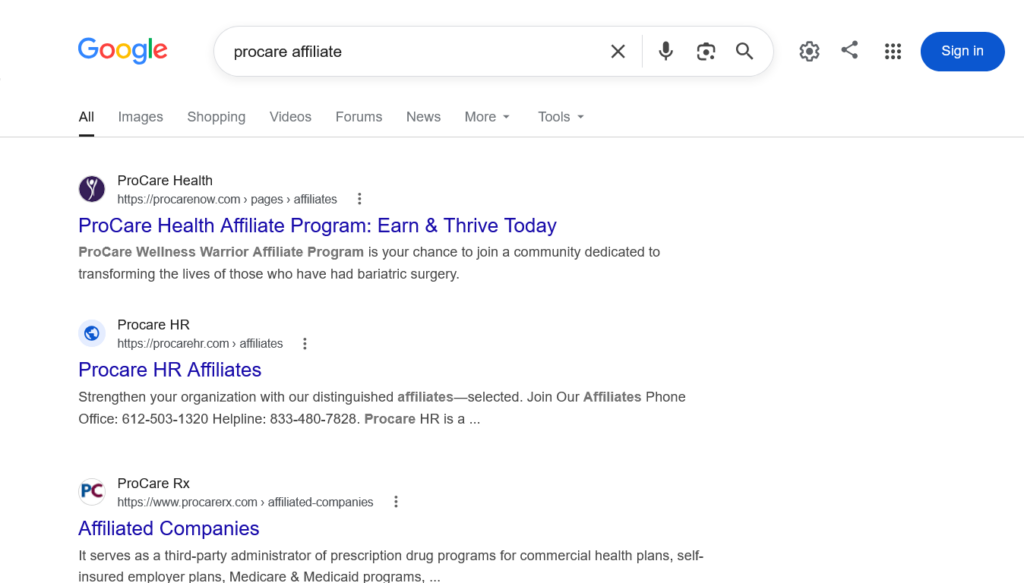
You can also search for a brand’s affiliate program on Google. But make sure that the program allows you to join with a YouTube channel.
Place Affiliate Links
Now, let’s add your affiliate links. Log in to the program and copy your affiliate link. If you have several links, you can save them in a text file.
Sign up for a Linktree account. Then follow these steps to add your affiliate link:
- On your Linktree dashboard, click Add.
- Paste your link. Click or press the Enter/Return key.
- Click the pencil to change the title.
- Repeat steps 1-3 for every link you want to add.
Make sure you also add links to your podcast, your YouTube channel, and any other resources for your listeners. You don’t want your page to be cluttered with just affiliate links.
And that’s it! On your next episode, you can tell listeners to go to linktr.ee/[yourpodcastname] for the affiliate link of whatever you’re promoting.
Affiliate Disclosure
The United States FTC (Federal Trade Commission) requires you to disclose your affiliate marketing practices. Since your affiliate links are on Linktree, you should write a disclosure there.
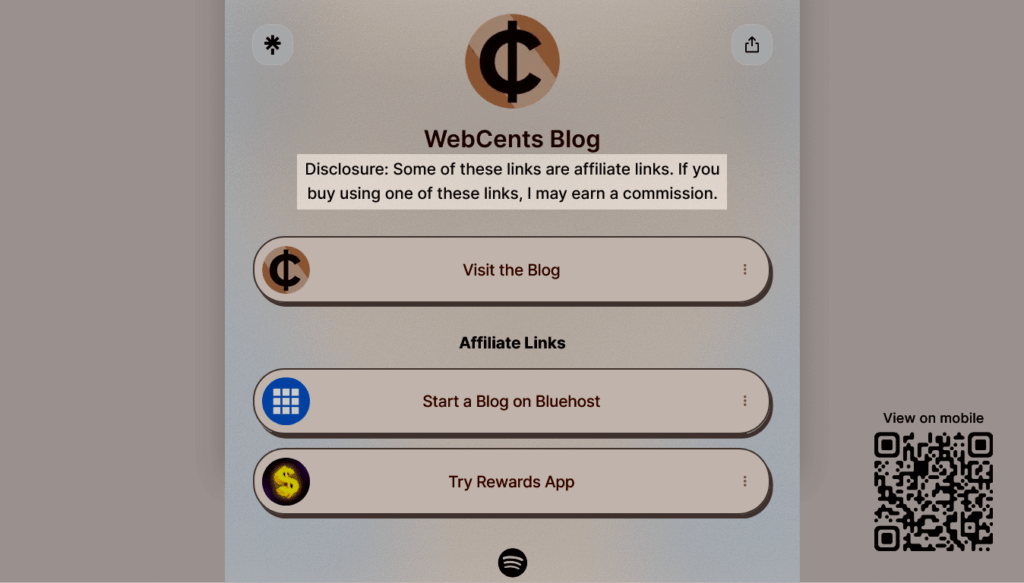
Your disclosure text should look something like this: “These are affiliate links. If you buy the product using these links, I may earn a commission.”
You can write the disclosure in your bio description underneath your profile title, like this:
Alternatively, you can include the disclosure as a Linktree button:
- Go to Add and find the option for Text.
- Type in your disclosure and title it “Affiliate Disclosure.”
- Your disclosure button will appear.
When viewers click your disclosure button, it will show them your affiliate disclosure.
Your Affiliate Marketing Earnings
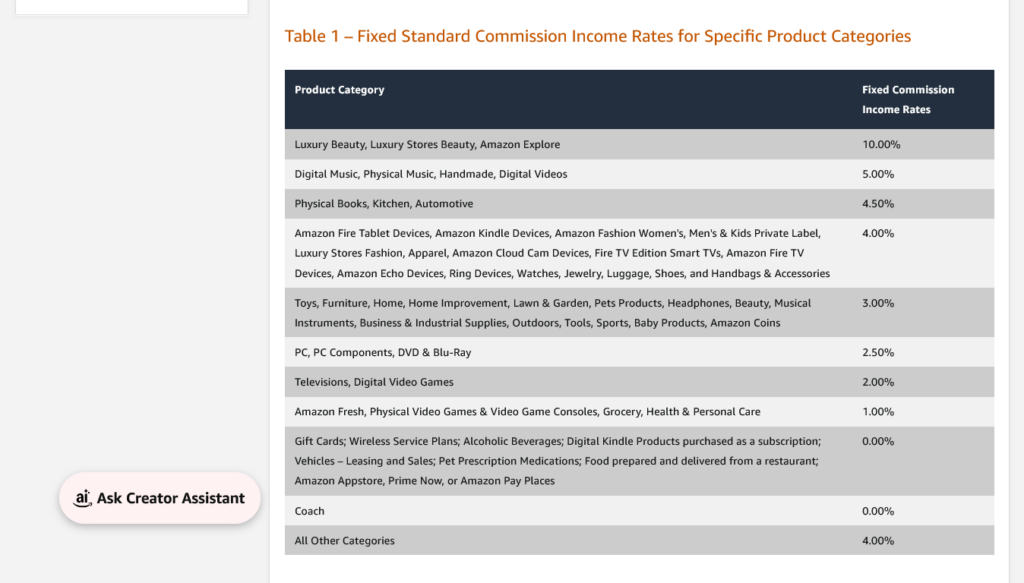
The amount you earn from affiliate marketing depends on how many buy the products you’re promoting. Some affiliate programs, like Amazon Influencers, pay you for anything the user buys with your link, even if it’s not the product you suggested.
To know how much you earned, log in to your affiliate dashboard. Somewhere, you’ll find how much you’ve earned and the commission you will earn for every sale you make. If you see a percentage, that’s your commission rate, which tells you how much of the sale price you earn.
Most affiliate programs pay via bank transfer, while others can pay via PayPal. You usually get paid every month when you reach a certain threshold. To know for sure, check your affiliate dashboard.
Typically, physical products pay you 5-15% of every sale or sign-up made, while digital products or services can pay you 10-50%.
Method 5: Patreon Community
With a Patreon page, you can connect with your listeners through text posts, videos, and other exclusive content. To make money, you offer special perks (called “benefits”) to those who pay you every month.
You can even host your podcast on Patreon, as mentioned earlier. But if you’re hosted somewhere else, you can sync your podcast to your Patreon using your RSS feed. More on that in a bit.
According to Patreon, they have paid their podcasters over $629 million in 2025 alone. This means there’s a lot of earning potential for you on Patreon.
Here’s what a podcast’s Patreon page looks like:
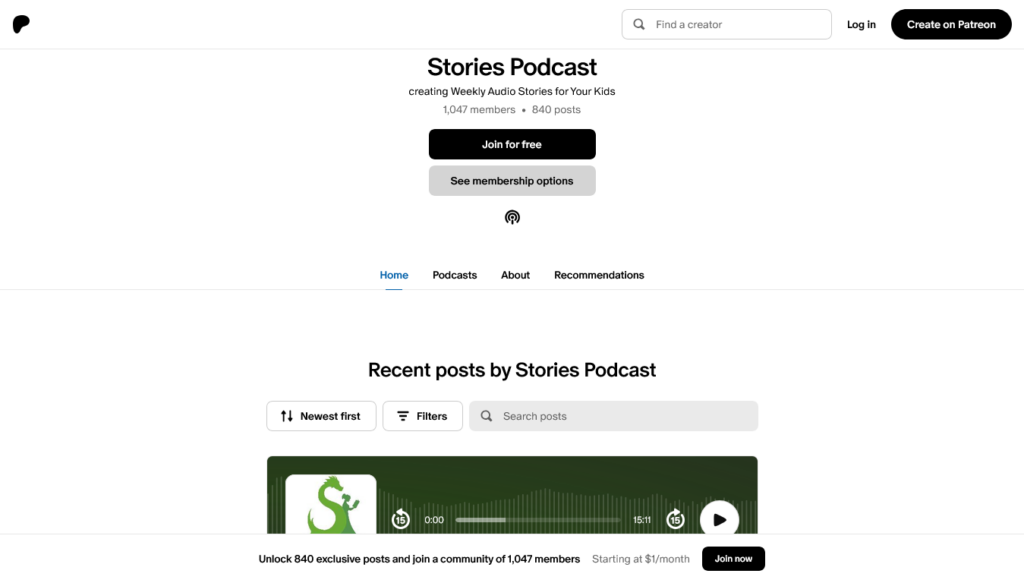
In this section, I’ll show you:
- How to create a Patreon page
- How to add your podcast to Patreon
- How to offer membership tiers
- How to promote your Patreon page
- How much money you will earn
Create a Patreon Page
Let’s put together your Patreon page if you haven’t already:
- Create a Patreon account here.
- Use your podcast name as the name and URL for your page.
- Select Podcasts and other stuff you create.
- Follow the instructions to finish setting up your page.
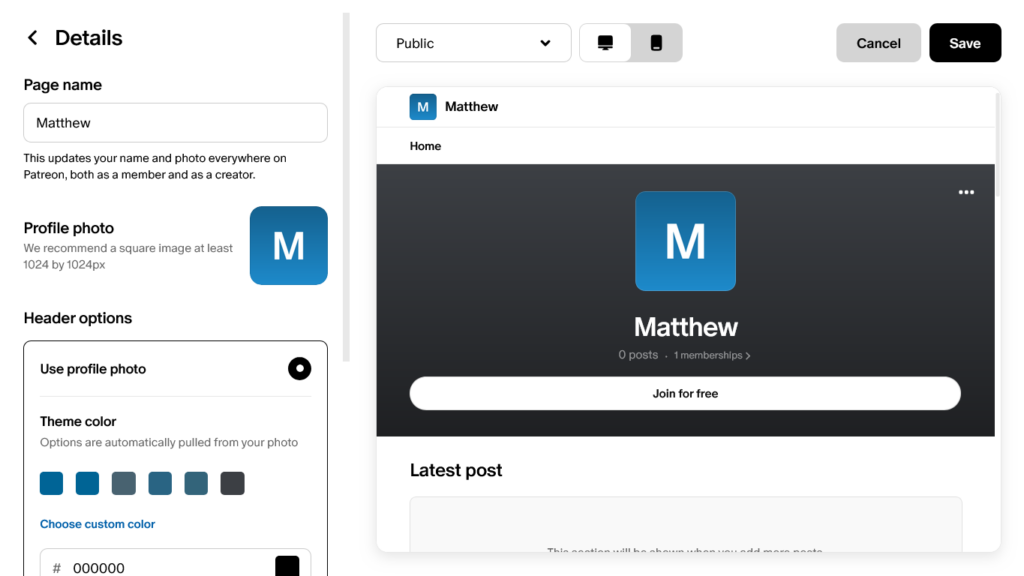
Your new Patreon page will appear. When you click Edit page, you can customize it to your liking: add a bio, pick your colors, change the layout, add social links, and more. To write a post to your page, click Create a post.
To access your Patreon page, click your profile at the bottom.
Add Your Podcast
Now let’s add your podcast to your Patreon page. Go to Settings > Podcast and audio.
After you fill in your podcast’s details, you have two options:
- Move your podcast to Patreon. This lets you create future episodes on Patreon. Or:
- Sync your podcast to your Patreon page if you’re happy with the hosting site you’re using.
If you move your podcast, click Import & Sync and provide your podcast’s RSS feed. After that, you can either keep your podcast on Patreon or distribute it to Spotify and get a new RSS feed for other podcast directories.
If you sync your podcast, simply provide your podcast’s RSS feed.
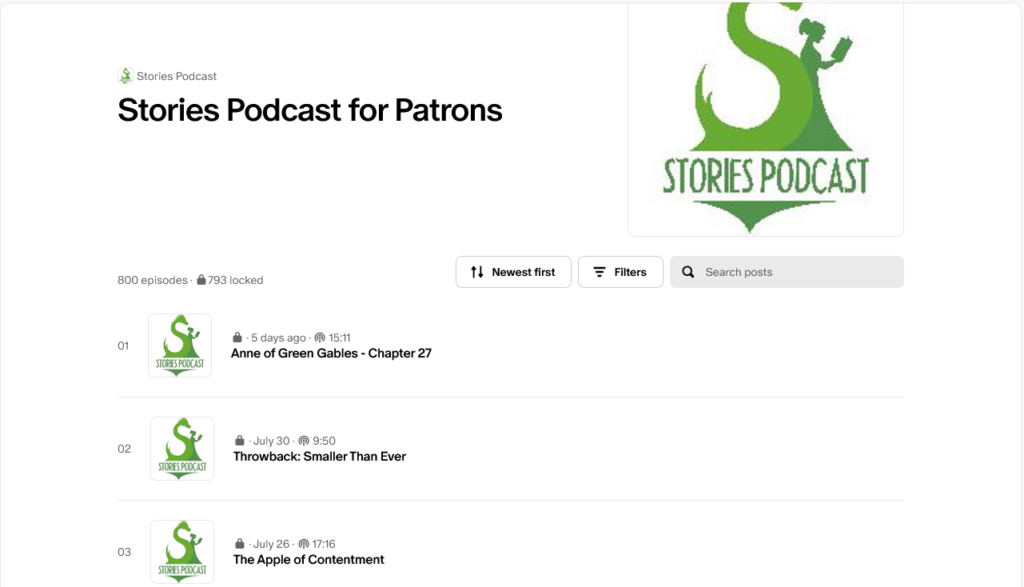
You will now have a Podcasts tab on your page showing your podcast. Click on it to see your episodes and podcast details.
Offer Membership Tiers
It’s time to create membership tiers with exciting benefits for your fans.
Go to your dashboard and select Memberships. There, you can set a tier price and list out the benefits for each one. Here are some ideas for benefits you can add:
- Early access to future podcast episodes
- Posts that provide sneak peeks for your next episodes
- Exclusive digital downloads like a checklist PDF
- A private invite link to your Discord community
If you select Advanced, you can limit how many members can join and add any special roles subscribers get on your Discord server.
While you can create as many tiers as you want, I suggest having no more than 6 tiers to keep the decision simple.
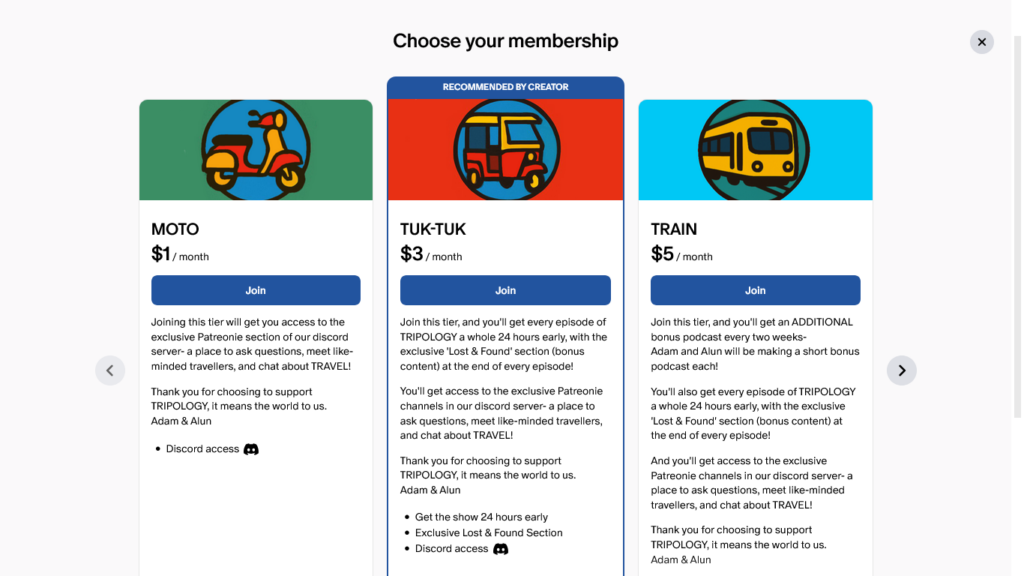
After clicking your page’s Upgrade button, your fans will see something like this:
Promote Your Patreon
Your Patreon page is ready to go! Here’s how you can start promoting it:
- Mention your Patreon at the end of each episode (if hosted outside Patreon)
- Add it to your Linktree page if you have one
- Give your paying fans the benefits you promised
- Write a few posts for free members so they don’t feel left out
- Sell exclusive content for free members to support you without subscribing
Your Patreon Earnings
You earn any revenue from your Patreon page after these fees are applied:
- A 10% Patreon fee for membership revenue
- A 5-12% Patreon fee for shop purchase revenue
- A payment processing fee for some members
- A currency conversion fee if a member pays in a currency different from yours
- A fee to send payments to your payment method
To see your earnings, go to Insights > Earnings. There, you can see your gross earnings, the fees that were applied, and the net earnings you will receive.
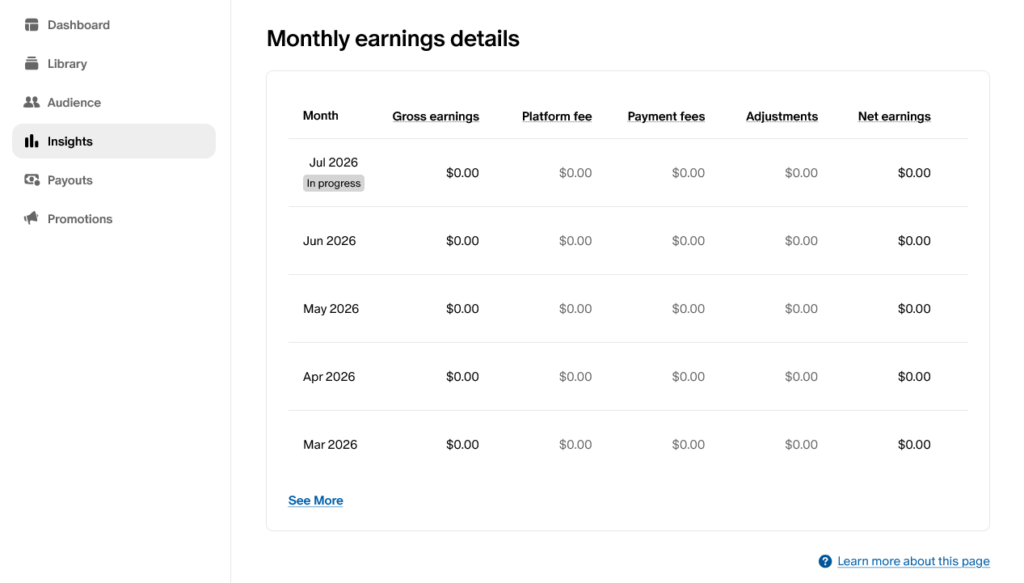
You get paid via PayPal, Payoneer, or bank transfer, depending on your country. You can choose whether to pay out manually or be automatically paid on the 5th of every month.
Read more: How to Make Money with a Podcast on Patreon
Free Alternatives to Patreon
If you think Patreon’s fees are a bit high, you’re not alone. Here are two alternatives to Patreon that only charge a small 5% fee:
- Ko-fi: receive listener support via a tip jar (payout via PayPal or Stripe)
- Buy Me a Coffee: simple dashboard and available via mobile app (payout via PayPal)
Method 6: Email Newsletter
Note: this method requires a Stripe account. Check if Stripe is available in your country.
An email newsletter is a great way to make money. This way, you can send helpful tips and important updates to your listeners via email. You can make money having sponsored ads appear in your emails to your listeners. When someone clicks an ad, you get a commission.
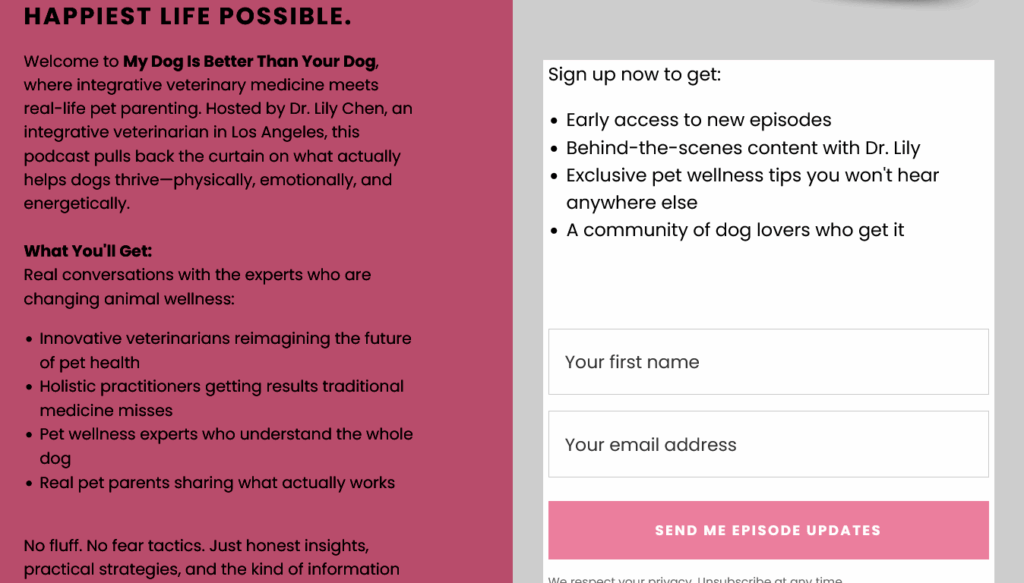
Here’s how it works: you send listeners to your landing page via your Linktree. On the landing page is an opt-in form where you advertise your newsletter. When someone enters their email, they are added to your email list.
A landing page looks like this:
Use Kit for Your Email List
To get started, you need a landing page and email program. I’d go with Kit. Here’s why:
- They cater to podcasters and other influencers
- They are simple to learn and offer a clean dashboard
- They give you your own landing page, no website needed
- They offer a 14-day free trial of their Creator plan, no credit card needed
Use my affiliate link below, click Start free trial, and create your Kit account to get started.
My Recommendation: After the trial, downgrade to the free Newsletter plan! It has everything you need to do this tutorial. Once your list grows, consider upgrading to the $33/month Creator plan.
Your Welcome Email
First, write the email your listeners will see when they sign up:
- Sign up for Kit if you haven’t already.
- Go to Automation > Email Sequences.
- Write a nice subject line like “You’re in, welcome!”
- In the body, thank your subscriber.
- Schedule the email to be sent “0 days after last email.”
If you’re on the free Newsletter plan, use Broadcasts to make your welcome email and send it manually to every new subscriber on your list.
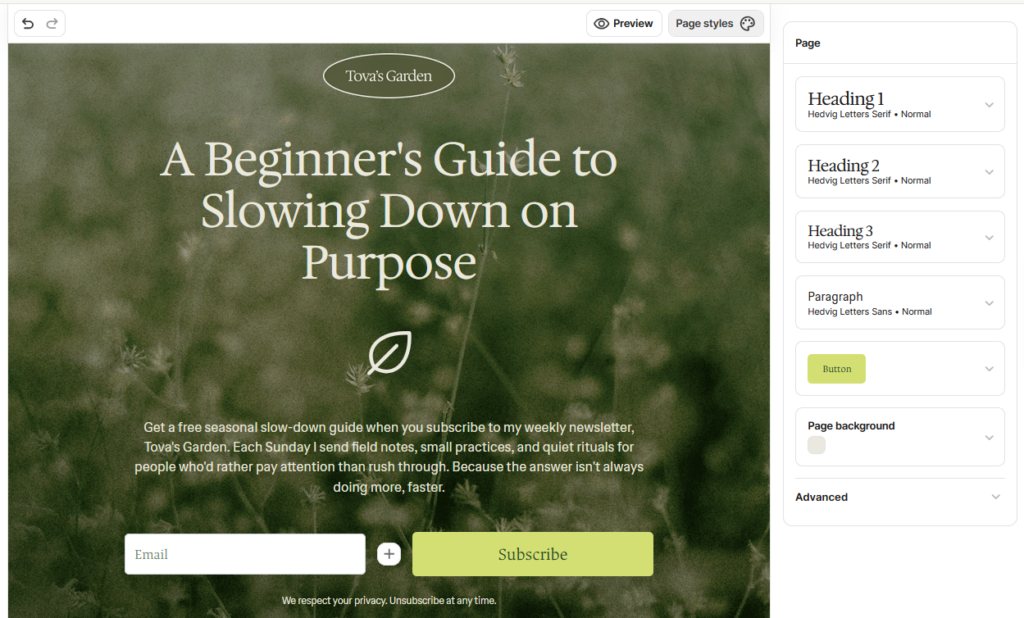
Design Your Landing Page
Next, make the landing page where your listeners put in their email.
- Go to Audience Growth > Landing Pages & Forms.
- Add a new landing page and pick a template.
- Design your page to your liking.
- Advertise your newsletter and tell subscribers what they can expect.
- Click Publish and copy the link to your landing page.
- Add the link to your Linktree to start promoting your newsletter.
Send Your Email Updates
Once you have a few subscribers, go to Broadcasts in Kit and start sending them emails. Talk about your upcoming podcast or some advice on the topic you cover. You can send your email right away or have it sent at a later time.
Try to send an email at least 3 times a month. Once a week is even better.
Monetize with Sponsored Ads
To add your sponsored ads, follow these steps:
- Set up payments on your Kit account.
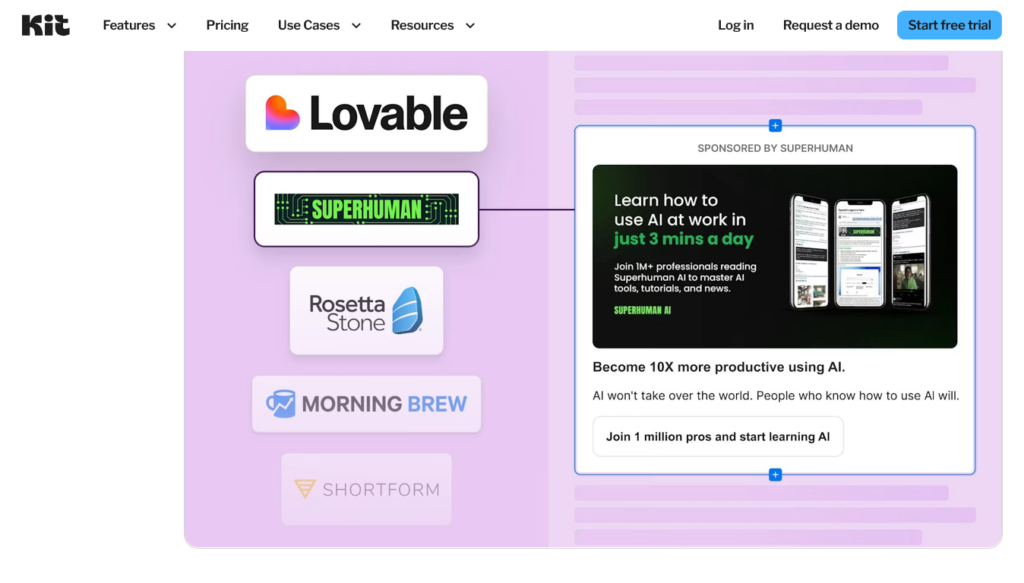
- Go to Earn > Newsletter Sponsorships.
- Select “I’m interested” on a brand you want to promote.
- If the brand emails you back, accept or decline the offer.
- If you accept, set a date for your sponsor email.
- Write an email and include a Sponsorship content block.
- Explain to your readers why this brand can help them.
- Schedule the email to be sent on the date of the offer.
And you’re done. You will earn each time a subscriber clicks on your sponsored ad.
On average, you can earn $1 to $2 per ad click. Payments will be sent via Stripe 45 days after the end of the month when the ad was running.
Conclusion
And this is how you make money podcasting as a beginner. Now it’s time to speak to the world and find your loyal listeners.
Is Podcasting Right for You?
Podcasting is great for introverts, but if you like being quiet, using and hearing your own voice all the time can be frustrating.
The solution? Start a blog and write about topics you love. While it will cost you a few bucks a month, it is a great investment that can pay off later.
Plus, you get to write to the world in silence. This is why I love blogging for WebCents!
Read my Blogging Guide below and learn how to get started.

Beginner Guides
For other ways to make money online, check out my other guides:
Thanks for reading and happy earning!
FAQs About Podcasting
It’s free to start your podcast on Spotify or Patreon. However, to avoid strict platform guidelines and get access to sponsorships, I suggest paid hosting on sites like Buzzsprout or Acast. In that case, it will only cost you $12 to $15 a month.
Podcast ads can pay you $5 to $15 for every 1,000 listens (downloads). Sponsorships (or host-read ads) pay you even more: $25 to $50 per 1,000 listeners. For even more revenue, consider doing affiliate marketing.
Patreon is a great place to start a free podcast that makes money. Create your Patreon page and set up your podcast there. You can distribute your podcast to Spotify and other podcast sites. Then sell membership tiers offering things like early access to future episodes, exclusive episodes, videos, a Discord community, and more.
Most podcasts make money from ads and sponsorships. An ad may play during an episode, or a host may read off a brand name. Some podcasts also make money by selling memberships on a Patreon page or by doing affiliate marketing.

Hey, it's Matthew! I enjoy computers, so when I discovered making money online in 2017, I knew I had to try. Over time, I made hundreds of dollars taking surveys and doing user testing. Today, I continue looking for simple ways to earn online and share what I learn here on WebCents.